
Update once

Change availability once and your store page stays current
- Mark items as available, low stock, or sold out from the browser.
- Square users can automate product and inventory updates.
Keep your store page current with Square integration or browser-based manual updates. Customers can check availability before they visit.
Create a free store page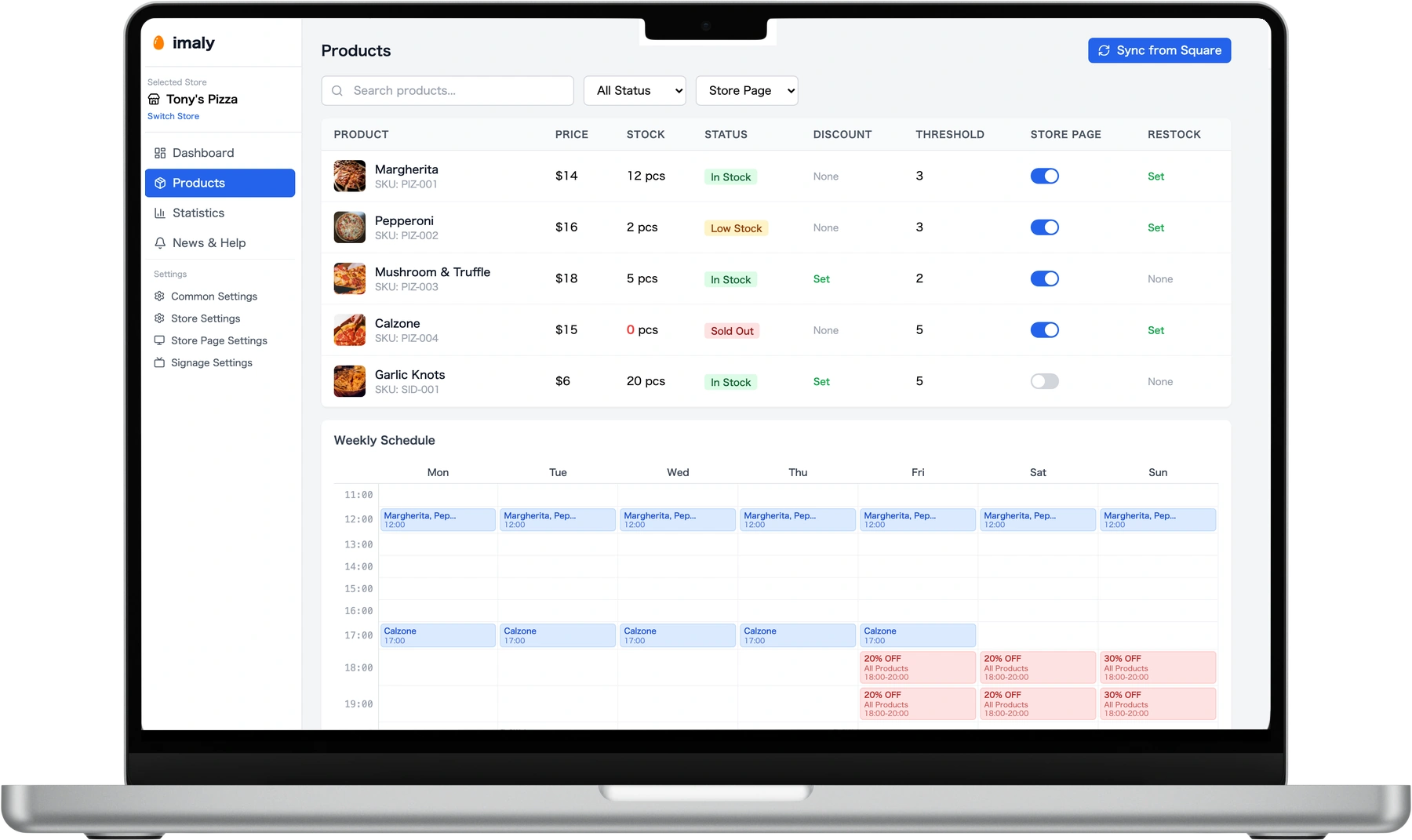
Change availability once and your store page stays current

Start small with a Free plan and upgrade when you need more

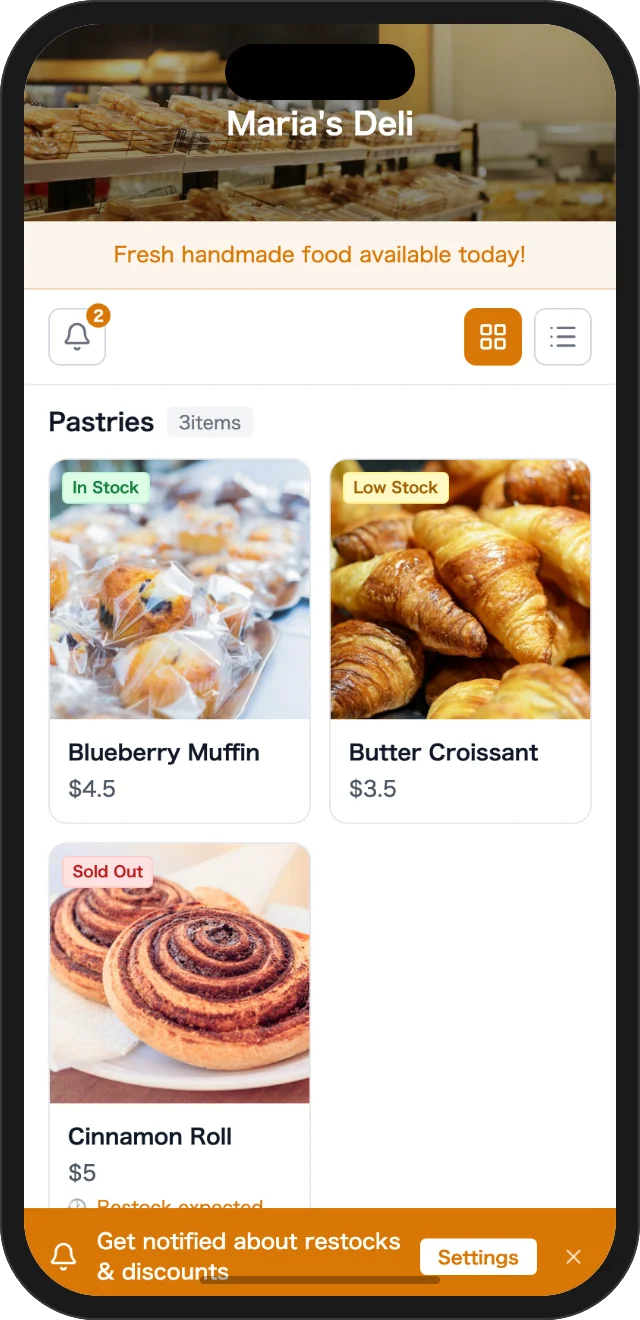
Customers can check before they come to your shop
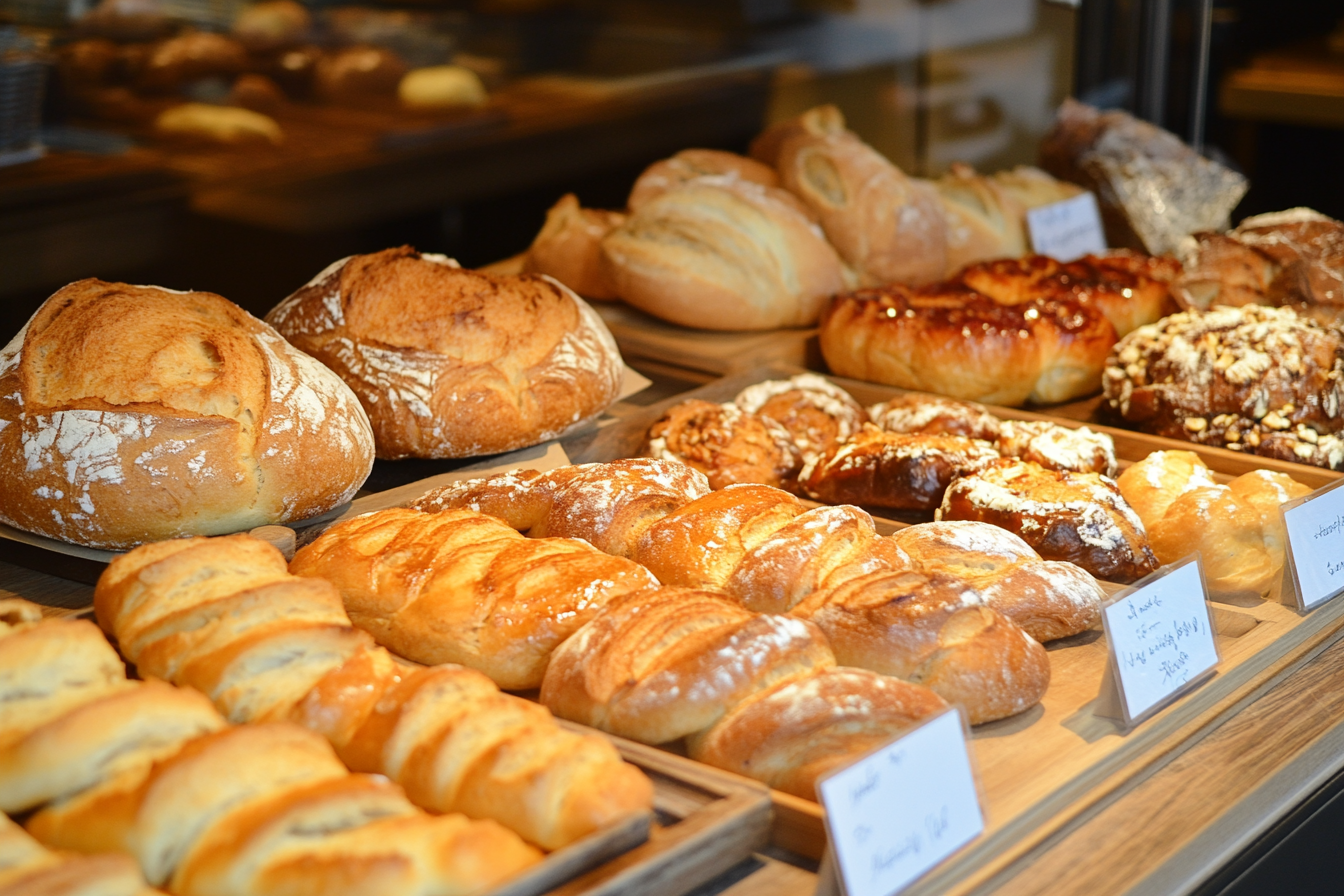
Share fresh batches and sold-out items without extra posts.

Show daily menus, prepared items, availability, and end-of-day markdowns.
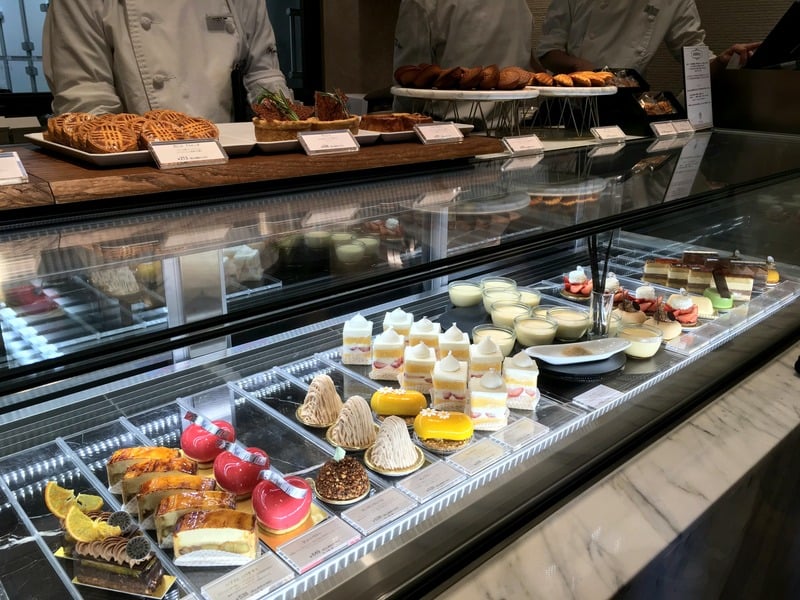
Let customers check limited items before they visit.

Help customers decide while they are on the way or in line.
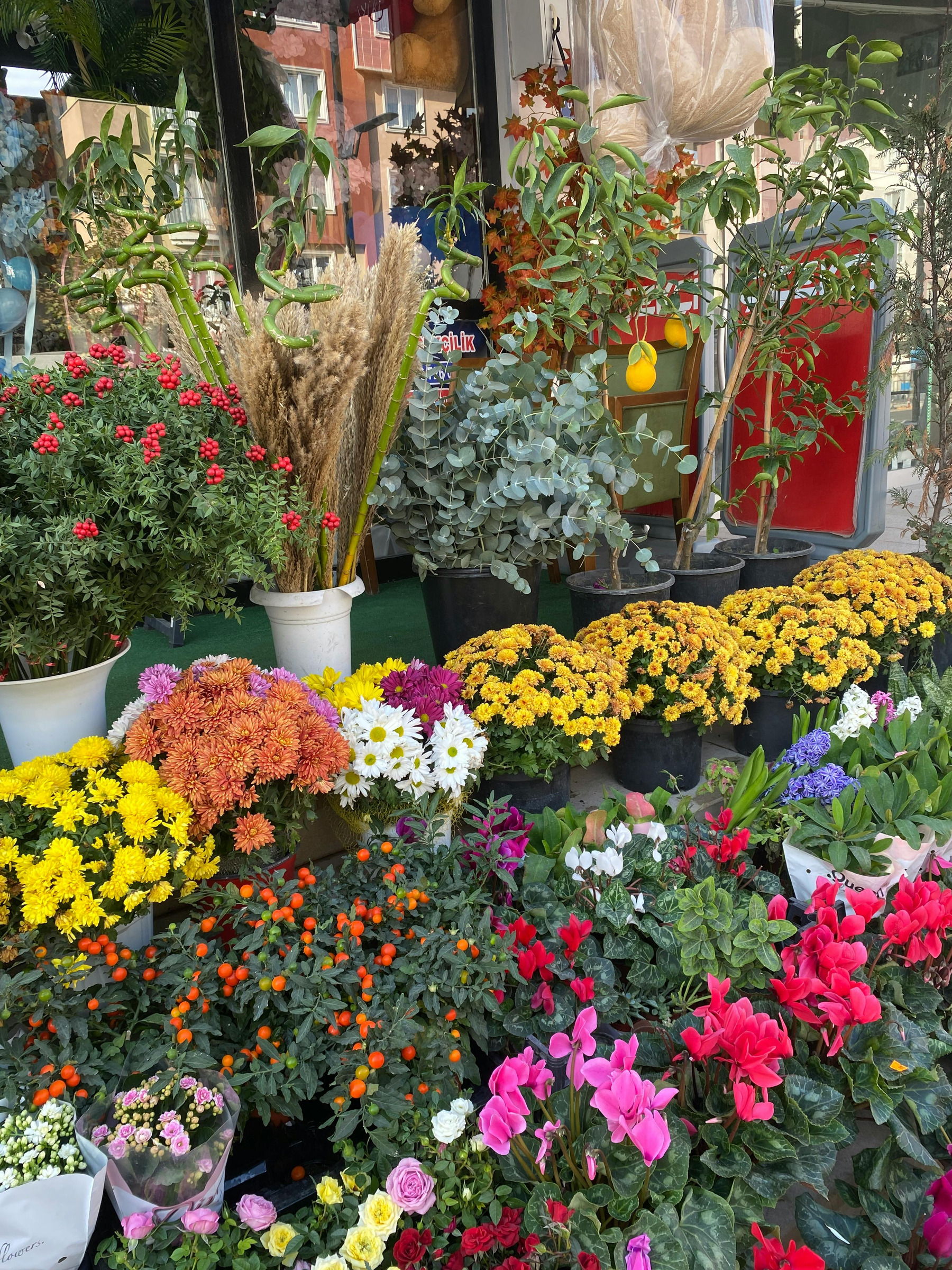
Show seasonal flowers and limited stock clearly.

Make small, changing lineups easy to browse.
Give customers the details they need before they come to your shop.
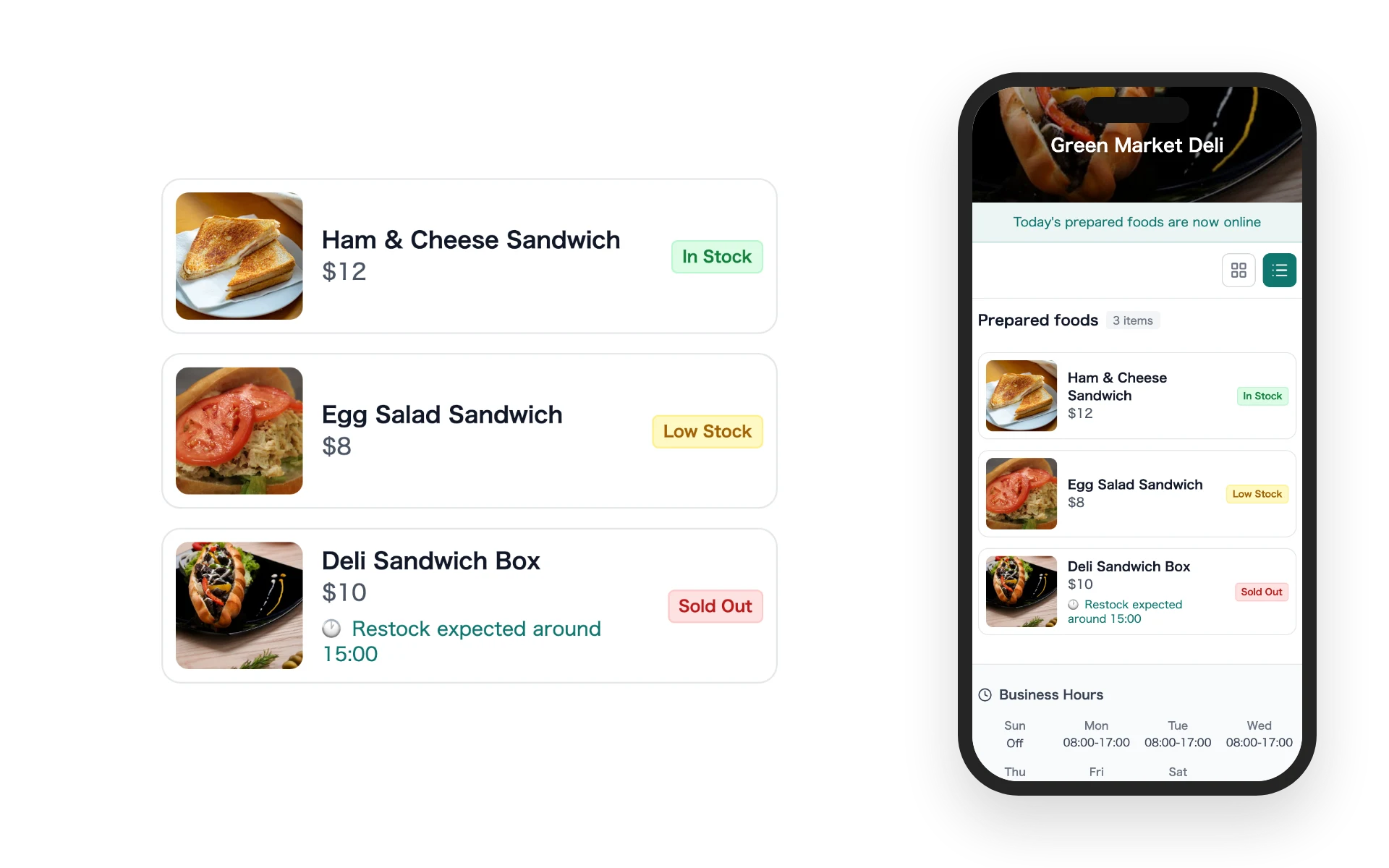
Display photos, prices, and available, low stock, or sold out labels before customers visit.
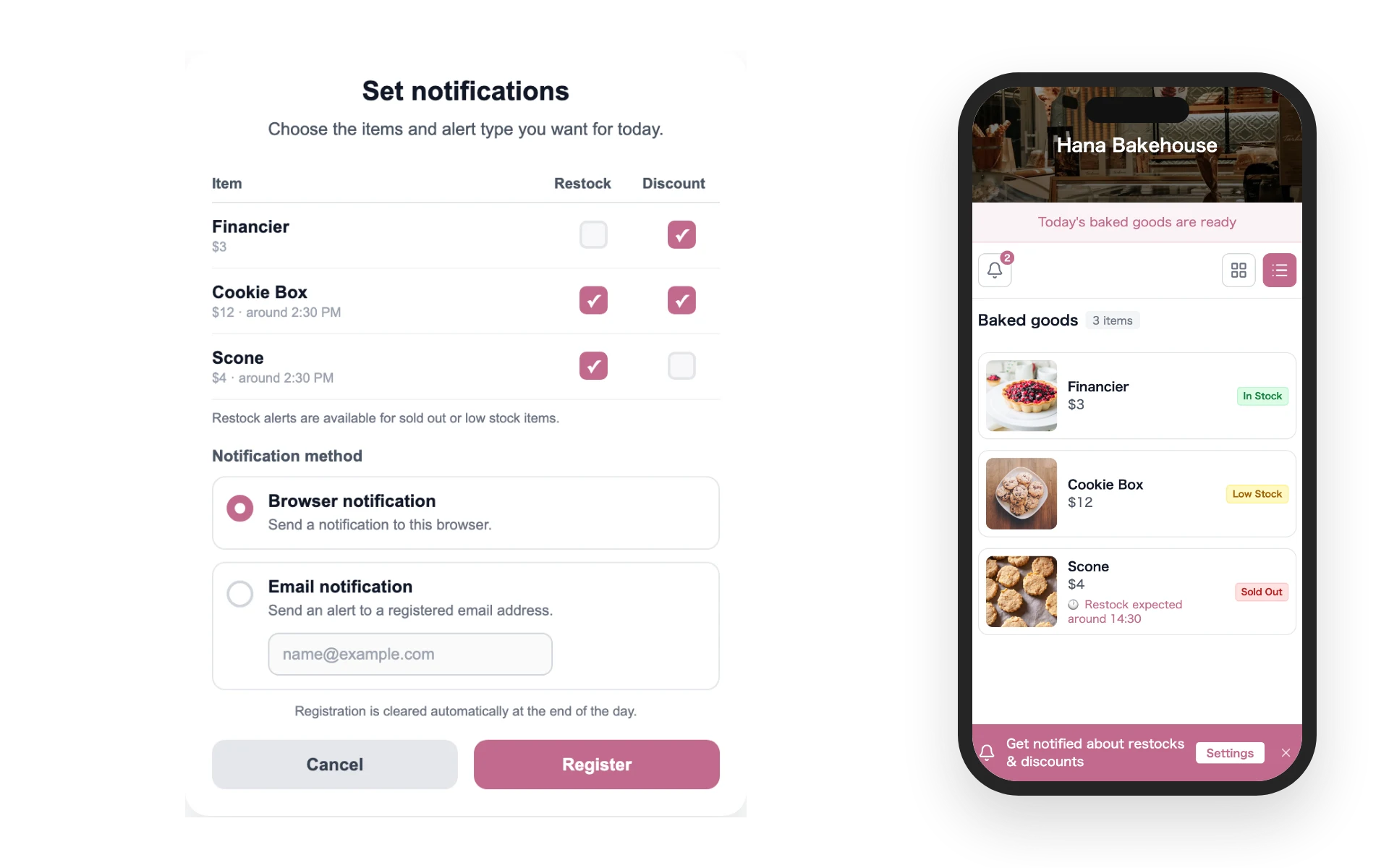
Customers who register for an item can receive same-day browser notifications or email alerts.
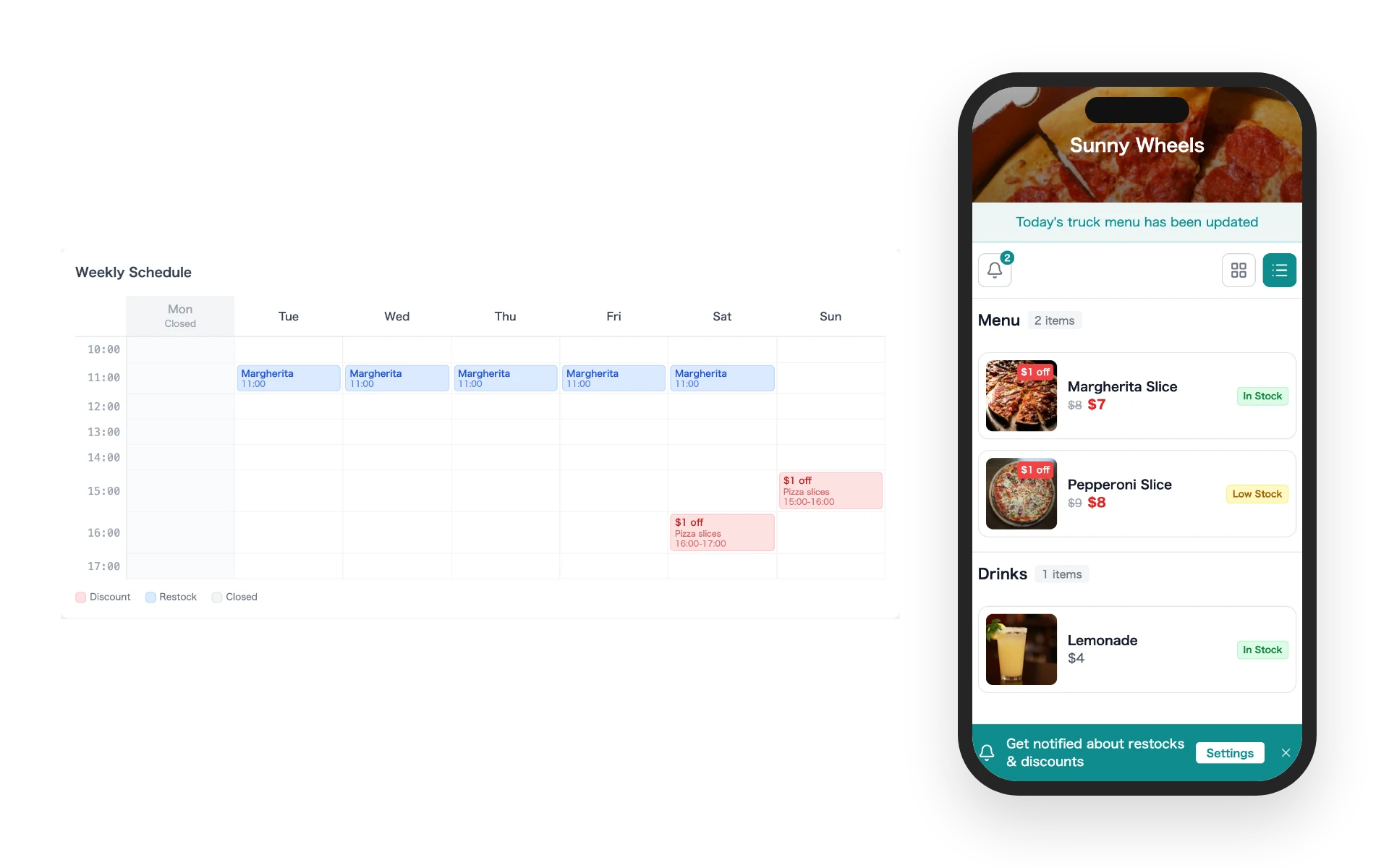
Set a markdown schedule and the store page price changes at the right time.
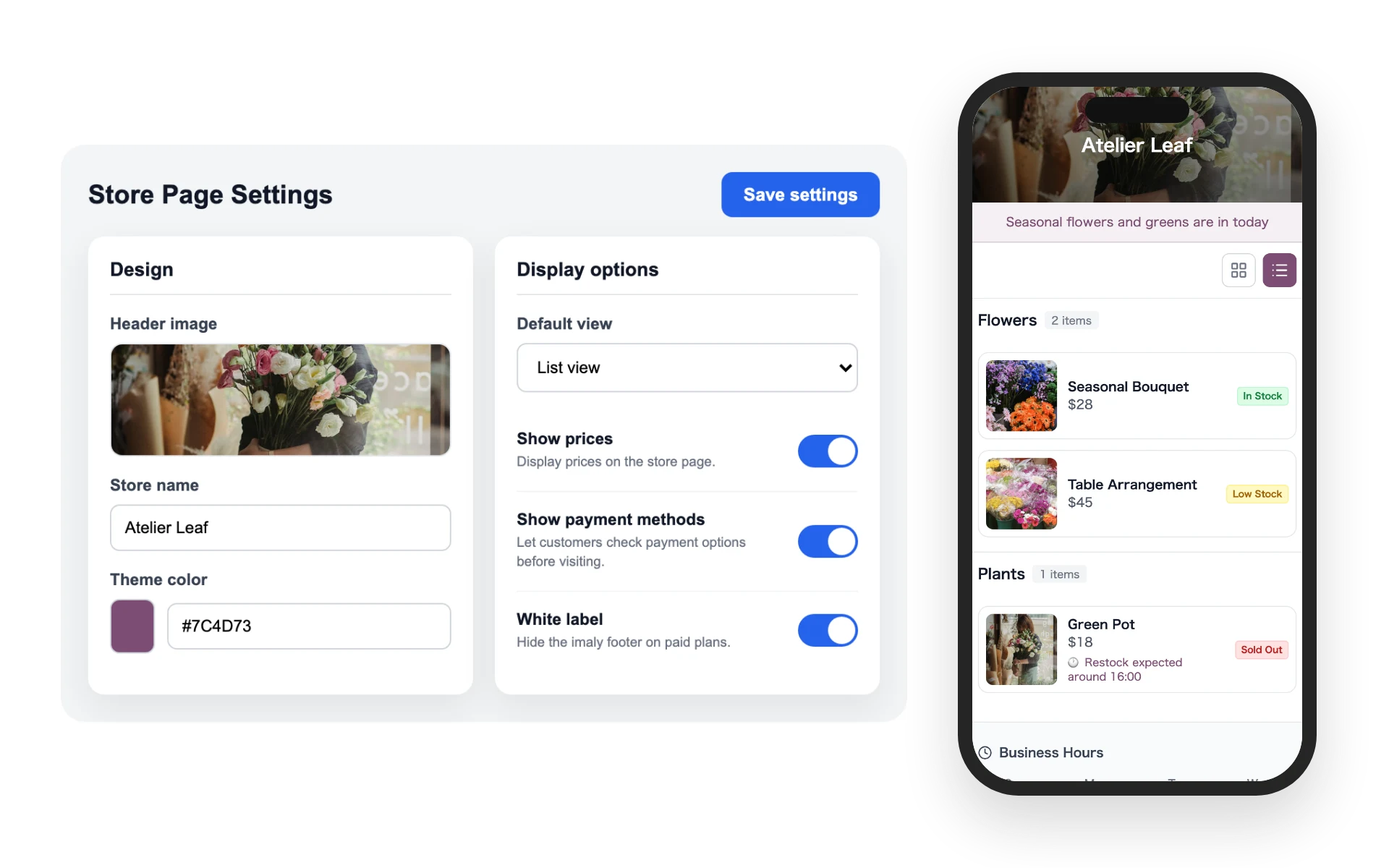
Adjust the header image, store name, and colors to fit your brand.
Sign up from your browser. imaly works on phones, tablets, and computers without installing an app.
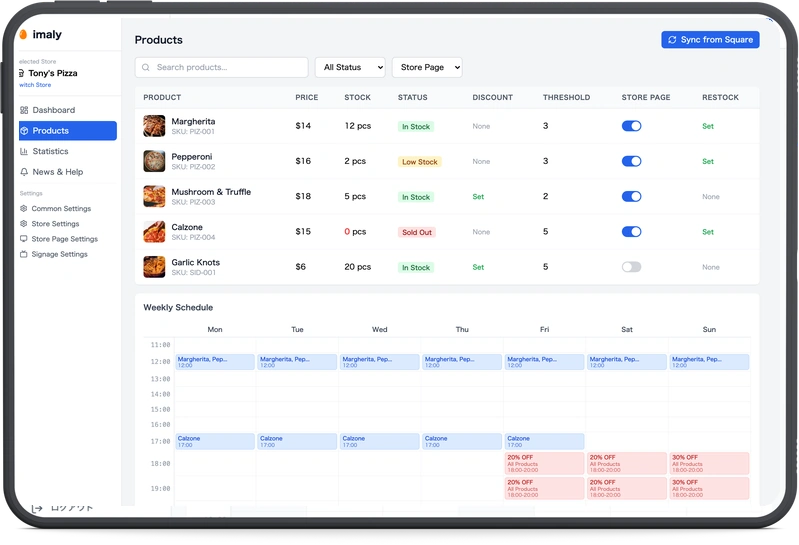
Add photos, prices, and availability. Square users can sync product information automatically.
Add your store page URL to your social profile or a QR code at the counter. Daily updates appear on the store page.


Paid plans are billed in JPY. Local taxes, exchange rates, or card issuer fees may apply.
| Free Free | Recommended Lite ¥2,200 ≈ A$22 | Standard ¥5,800 ≈ A$59 | |
|---|---|---|---|
| Store limit | 1 store | 2 stores | 5 stores |
| Published products | 5 products | 50 products | 200 products |
| Store page | ✓ | ✓ | ✓ |
| Customer notifications | − | ✓ | ✓ |
| Digital signage | − | − | ✓ |
| Access analytics | − | − | ✓ |
Local currency amounts are approximate. Paid plans are processed by our payment provider; imaly does not store full card numbers. Contact us for 6+ stores or custom needs.
Start freeContact us anytime if you need help.
You can log in from a phone, tablet, or computer browser. If you use Square POS, connecting it can automate product information updates.
Yes. Log in with the same account from any phone, tablet, or computer. You can use a tablet in the shop and a phone when you need to update quickly.
No. Shop owners use the admin screen in a browser, and customers view the store page from their phone browser.
Social media and email are useful for posts and campaigns. imaly is a store page where customers can check current product status whenever they need it.
No. imaly does not handle online sales or checkout. It helps customers check in-store product status before they visit or contact you.
No. You can keep using the Free plan within its published product limit.
Only customers who choose to register for an item receive notifications. Alerts are delivered by browser notification or email for that day only, and registration data is deleted at the end of the day.
Yes. You can change or cancel your plan from the admin screen.
Make today's product information easier for customers to find before they visit.
Start free