Why Timing Is Everything for Bakeries (And Why Manual Posts Don't Cut It)
A bakery day starts early. Batches roll out throughout the morning. Between baking, serving, and running the register, staff are stretched thin. You mean to post every batch on Instagram, but your hands are covered in flour. By the time you grab your phone, half the batch is sold or cold.
The croissants just came out, but you are serving customers and the next batch needs shaping. Taking a photo, writing a caption, and posting takes time you do not have.
If regulars arrive and their favorite item is already sold out, they may decide to buy somewhere else next time. Showing availability before they visit reduces that disappointment.
Fresh products have a short selling window. When customers cannot see what is still available, it is harder to move the right items at the right time.
The problem is not that bakeries do not want to notify customers. It is that they cannot keep up with manual posting while running a bakery.
5 Ways Bakeries Notify Customers - Pros, Cons, and What Actually Works
| Method | Real-Time? | Reach | Effort | Cost | Best For |
|---|---|---|---|---|---|
| Instagram / Facebook | Fair | Medium | Manual each time | Free | Brand building, new customers |
| SMS / Text Alerts | Excellent | High (subscribers) | Manual each time | Paid tools vary | Immediate reach to regulars |
| Email Newsletter | Poor | Medium (subscribers) | Manual / scheduled | Free or paid | Weekly specials, not real-time |
| Google Business Profile | Poor | Good (search-driven) | Manual each time | Free | Local SEO, new customers |
| Automated Inventory Alerts | Excellent | High (subscribers) | Automatic | Free or paid | "I can't keep up" problem |
Instagram / Facebook - Visual appeal is unmatched, and Stories create urgency. But not every follower sees every post, and it requires manual effort every single time. Tip: preview Stories work better than after-the-fact posts.
SMS / Text Alerts - SMS messages can reach regulars quickly. But you still need to send each message manually, and subscribers must opt in under local regulations. Tip: keep messages short and specific, such as "Fresh sourdough just out of the oven. Limited loaves available."
Email Newsletter - Free or low cost, great for weekly schedules. But newsletters are not ideal for "the croissants are ready right now" alerts.
Google Business Profile - Posts appear in local search results, which helps new customers find you. But it is not designed for item-by-item availability updates. Tip: use it for your weekly baking schedule, not individual batch alerts.
What Automated Bakery Notifications Actually Mean
The demand is simple: customers want to know whether their favorite item is available before they make the trip. The challenge is delivering that information without adding more posting work to a busy bakery day.
The key insight: you're not adding a new task. Your existing workflow becomes the notification.
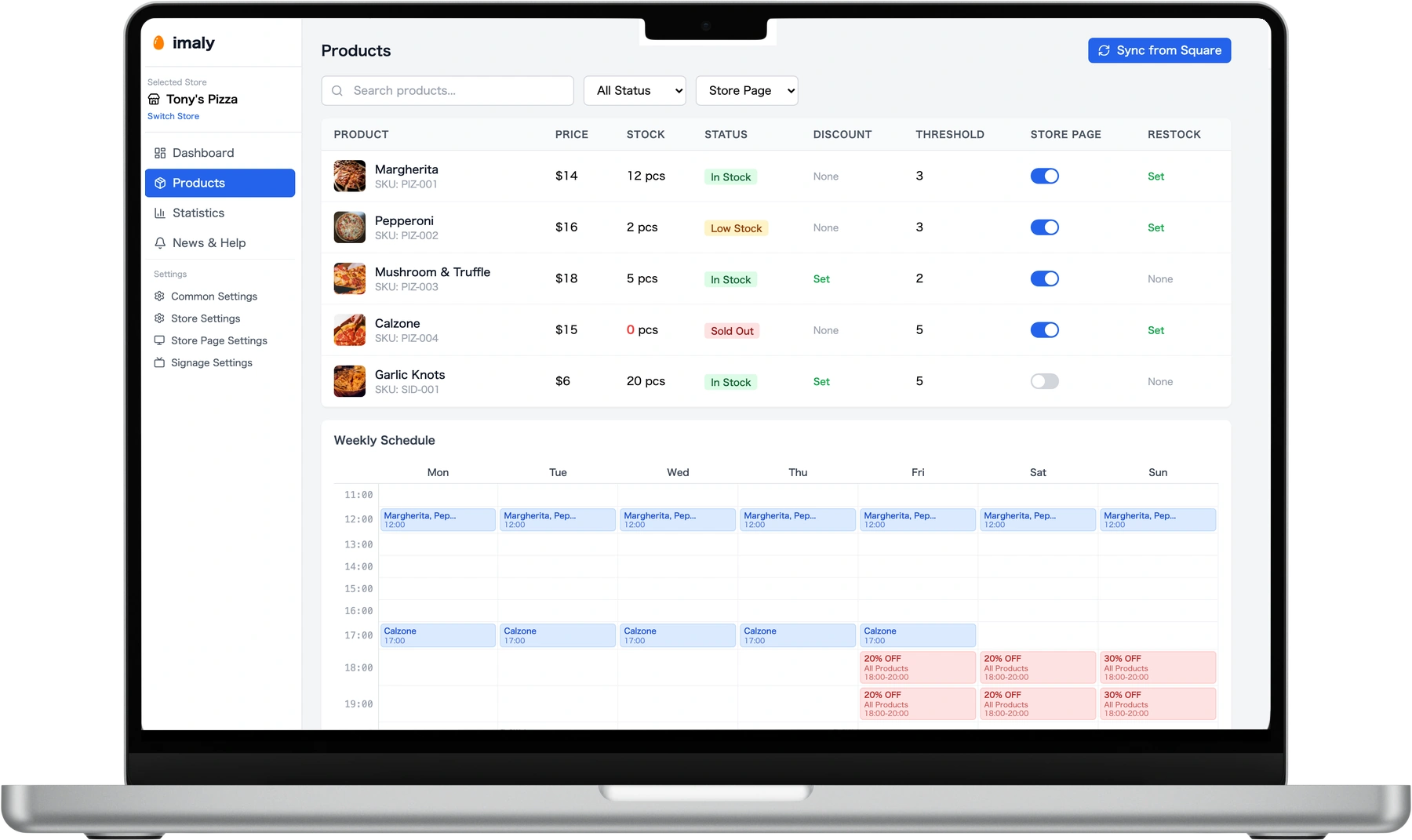
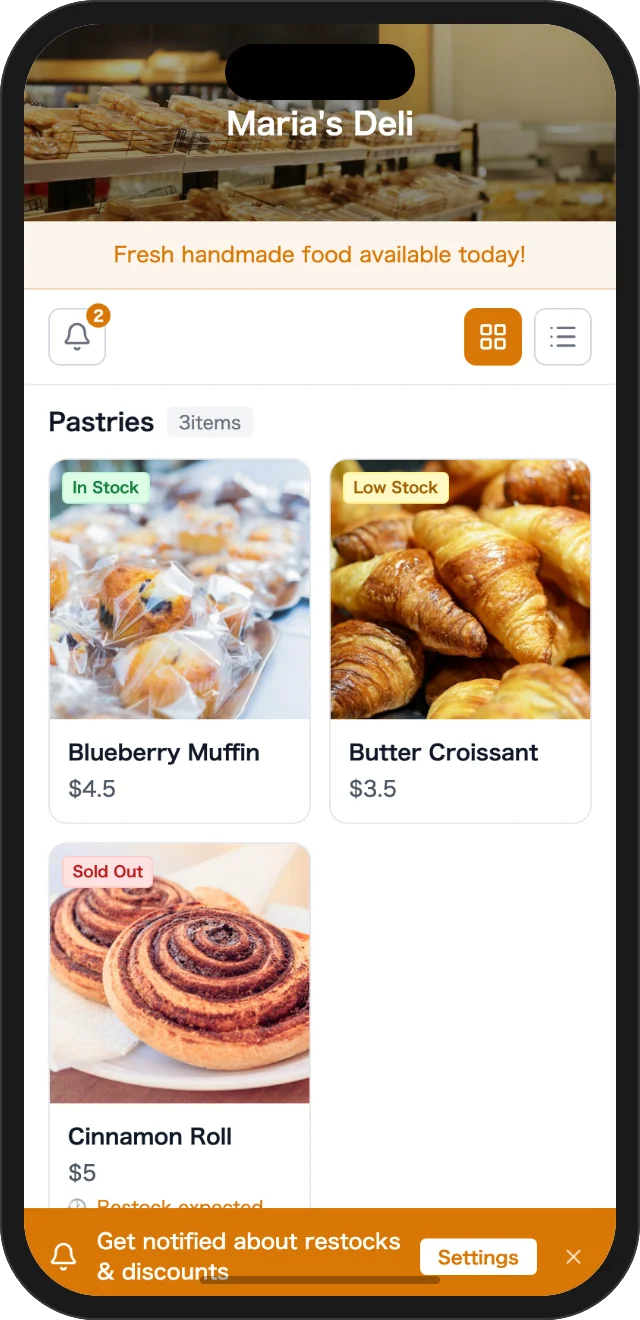
Tools like imaly connect to your Square POS and can automatically reflect product changes on your store page. When customers choose to register for an item, they can receive same-day email or browser notifications. No app download is required.
If you do not use Square, imaly solo lets you update product status from your browser in seconds.
How to Set Up Automated Customer Notifications (Step by Step)
Free plan available - 1 store and up to 5 products. If you use Square, connect with one tap and your products and inventory sync automatically. If you do not use Square, imaly solo lets you add products from your browser.
imaly generates a store page for your bakery that works in any browser - no app needed. Add the link to your Instagram bio, Facebook page, or Google Business Profile. Put a QR code at the register or on your menu board. Customers can check current availability, and customers who choose to register for an item can receive same-day alerts.
Square users: product and inventory updates can reflect on the store page automatically. imaly solo users: open imaly in your browser, tap your product, and set it to "Available." No posting and no app install.
Common Mistakes to Avoid With Customer Alerts
- Over-sending - Too many alerts can make customers opt out. Limit alerts to genuinely useful updates.
- Being too generic - "New items available" is vague. "Fresh sourdough - 8 loaves left" is clearer.
- Forgetting to build your subscriber list - The system only works if customers choose to register. Make the QR code or store page link visible in your store and on every social profile.
- Ignoring timing - Very early alerts may not help. Match notification timing to when your customers actually buy.
Frequently Asked Questions
Do I need to use Square to use imaly?
Do my customers need to download an app?
Is it really free?
How long does setup take?
Can I use this alongside my existing Instagram and email marketing?
Summary
For small teams, posting to Instagram every time something comes out of the oven just isn't realistic.
Instagram, SMS, email, Google Business. Each is useful, but each takes time you don't have.
No new tasks. Start with 5 products on the free plan and see the difference.